Why Professional Smart Home Security Installation Matters
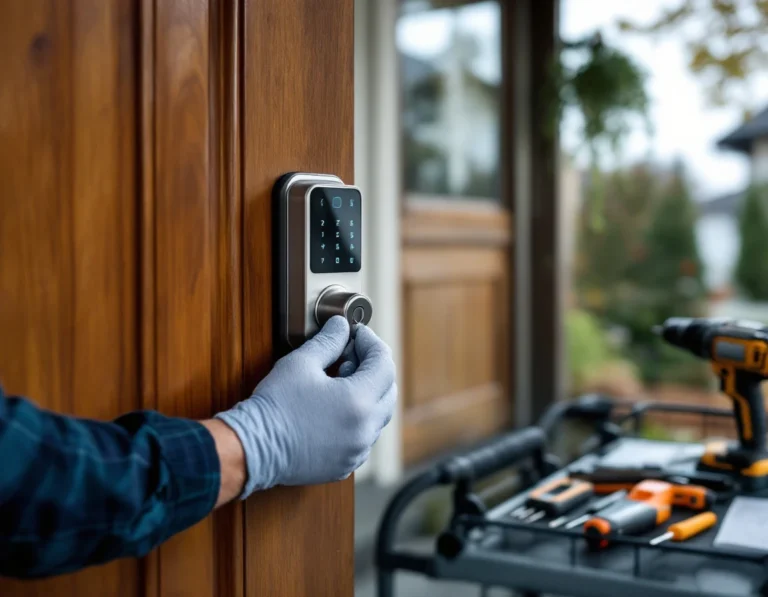
Smart home security systems promise convenience and protection, but those benefits only materialize when components communicate properly with each other and your existing home infrastructure. Professional smart home security installation prevents the compatibility conflicts, device miscommunications, and security gaps that plague DIY installations.
DIY installations miss hidden integration failures that emerge weeks after setup
The smart home security system that works perfectly on installation day can develop frustrating problems weeks later. DIY installations often miss integration issues that don’t surface immediately: a motion sensor that triggers false alarms when the furnace cycles on, a doorbell camera that disconnects when multiple devices use the WiFi network, or a smart lock that drains batteries twice as fast as expected because of signal interference.
Local installers bring knowledge that goes beyond mounting cameras and pairing devices. They understand regional electrical codes that affect power supply placement and wiring methods. They recognize WiFi interference patterns specific to your area—whether that’s congestion from neighboring networks in dense subdivisions or structural challenges in older homes with thick plaster walls.
Professional installers also assess your existing infrastructure before recommending equipment. They identify whether your router can handle additional connected devices, evaluate whether existing wiring can support new components, and spot potential conflicts with legacy alarm systems or smart home devices already in place. This upfront assessment prevents the integration failures that force DIY installers to troubleshoot problems or replace incompatible equipment after purchase.
Professional assessment prevents expensive mistakes
Before purchasing any smart home security equipment, a professional assessment identifies compatibility conflicts that would otherwise remain hidden until installation day. Local smart home security companies evaluate your existing network infrastructure, electrical panel capacity, and current smart devices to determine which systems will integrate without requiring expensive retrofits or equipment replacements.
Professional installers ask technical questions about router specifications, existing automation protocols, and power availability that most homeowners don’t know to consider when comparing products online.
Smart Home Security System Compatibility Pitfalls Homeowners Face
The most common failure point in DIY smart home security installations isn’t a faulty sensor or weak password—it’s invisible protocol incompatibility. A homeowner buys a Z-Wave door sensor, installs it perfectly, then discovers their WiFi-only security hub can’t communicate with it. The sensor functions fine on its own network, but the hub lacks the radio to receive Z-Wave signals. The devices occupy the same room but exist in separate communication universes, creating dead zones where security coverage should exist.
Professional installers audit your existing devices before recommending new equipment, mapping which protocols your home already supports. They identify whether your router includes a Zigbee radio, whether your smart speaker acts as a Thread border router, or whether you need a multi-protocol hub to bridge these communication gaps.
Ecosystem Integration Bottlenecks
Existing smart home ecosystems create major pitfalls that include:
- Security systems that only integrate with Google Home and Alexa but not your Apple HomeKit setup
- Security cameras requiring a separate app instead of connecting to your voice commands
- Motion sensors triggering through different interfaces than your existing automation
Local installers test integration compatibility during pre-installation assessments. Verifying that security components work within your established ecosystem rather than requiring parallel control systems.
Network Bandwidth Collapse
The third pitfall emerges when homeowners add high-bandwidth security cameras to networks already supporting smart TVs, work-from-home video calls, and streaming devices. Peak usage periods—when kids stream after school while parents join video meetings—overwhelm router capacity. Security camera feeds stutter, motion detection delays, and alarm notifications arrive minutes late. Professional installers measure actual bandwidth under load conditions, calculate the data requirements of proposed camera systems, and recommend network infrastructure upgrades before installation. They segment security traffic onto dedicated network channels, preventing household internet usage from compromising security system performance when bandwidth matters most.
Questions to Ask Local Installers
Before hiring a professional installer, homeowners need a vetting framework that separates knowledgeable integrators from simple equipment mounters. The right questions expose whether an installer understands the nuances of device communication protocols, network architecture, and ecosystem compatibility.
Compatibility Audit Questions
Start by asking: “What specific devices and brands do you support, and how will you test integration before installing equipment?” A competent installer will outline their pre-installation assessment process, explaining how they verify that new security cameras communicate with your existing Ring doorbell or that motion sensors integrate with your Google Home ecosystem. Watch for red flags like vague answers about “supporting most devices” or installers who skip compatibility testing entirely. The answer should include specific protocol verification steps and bench testing procedures.
Follow up with: “How will you assess my home’s network capacity and WiFi coverage for the security system you’re proposing?” Professional installers conduct site surveys measuring signal strength in every camera location, identifying dead zones that require mesh network nodes or access point upgrades. An installer who doesn’t mention network testing may install cameras that drop offline during critical moments.
Installation Expertise Questions
Ask: “How many installations have you completed that integrate with my current smart home setup?” Request specific examples of homes where they’ve successfully connected new security systems to existing Alexa routines, HomeKit configurations, or SmartThings hubs. An experienced installer should describe challenges they’ve encountered with your particular ecosystem and how they resolved protocol conflicts or automation failures.
Post-Installation Support Questions
Finally, ask: “What happens if devices don’t communicate properly after installation, and what does your troubleshooting process include?” The answer should detail warranty coverage, response times for integration failures, and whether they provide ongoing support as you add new devices. Installers who disappear after mounting equipment leave homeowners stranded when firmware updates break automations or new devices refuse to join the network.
Evaluating Professional Expertise
Not every installer who advertises smart home security services has the technical depth to integrate your existing ecosystem without creating new problems. The credentials that matter go beyond basic alarm system training. Look for certifications from major integration platforms including:
- SmartThings Professional Partner credentials
- Home Assistant training documentation
- Control4 or Crestron certifications
- Z-Wave professional designations
These certifications demonstrate that an installer understands how diverse devices communicate and can troubleshoot protocol conflicts before they cause system failures.
Portfolio work reveals far more than certification badges. Ask prospective installers for references from homeowners who had similar existing setups—not just customers who bought complete systems from scratch. A homeowner with Philips Hue lighting, a Nest thermostat, and Ring cameras faces different integration challenges than someone starting fresh. Request specific examples of integration projects where the installer resolved conflicts between competing ecosystems or adapted security components to work within existing automation routines. Installers who can describe how they solved mesh network interference or configured custom Z-Wave device handlers have genuine expertise.
Local knowledge matters more than most homeowners realize. Installers who work regularly in your area understand regional factors that affect system performance: neighborhood WiFi congestion from overlapping router channels, municipal electrical codes that limit low-voltage wiring paths, and fiber or cable broadband availability that determines whether cloud-based systems will perform reliably. An installer familiar with your region’s infrastructure can prevent integration failures rooted in external factors that no amount of device compatibility research addresses.
This expertise directly connects to avoiding costly mistakes. An installer who understands both certification-level technical protocols and local infrastructure realities can assess whether your existing network can handle added security devices, whether your electrical panel supports additional low-voltage circuits, and whether your smart home hub has capacity for more integrations—questions that determine whether your system works reliably or fails during the first power fluctuation.
Integration Testing and Support
Professional installers don’t just configure devices and walk away. After installation, they conduct multi-day integration testing that verifies every device communicates properly, tests failover scenarios when primary hubs lose internet connectivity, and runs load tests with all devices active to confirm system stability under real-world conditions. This testing phase catches problems that might not surface until weeks into daily use—motion sensors that drop offline when WiFi traffic peaks, cameras that buffer during simultaneous streaming, or hub failures that leave the system unresponsive.
Local installers bring a distinct advantage to ongoing support. When a device malfunctions or falls offline, the installer who configured your system can troubleshoot within days because they understand your specific setup, existing infrastructure challenges, and the regional factors that affect performance. National chains route support calls through centralized call centers where technicians lack context about your installation. Regional providers maintain service relationships that extend beyond the initial handoff.
Smart home ecosystems evolve constantly as manufacturers release new devices and firmware updates. Professional installers provide ongoing compatibility monitoring—testing how new devices integrate with your existing system before recommending upgrades.
When you add a new smart lock or doorbell camera six months after installation, your installer verifies protocol compatibility and network capacity rather than leaving you to discover integration failures after purchase. This continuity of support prevents the fragmentation that plagues DIY systems, where homeowners accumulate devices that can’t communicate and troubleshooting requires coordinating between multiple manufacturers who each blame the other’s equipment.
Next Steps: Finding Local Smart Home Security Experts
Start your search by targeting installers who advertise smart home integration services, not just traditional alarm system installation. Look for credentials that go beyond basic security licensing—Control4 or Crestron certifications, HomeKit specialist badges, or Z-Wave professional designations signal genuine smart home expertise rather than conventional security-only experience.
Request free pre-installation audits from two to three local providers before purchasing any equipment. This comparison process teaches you about your home’s specific compatibility challenges—one installer might identify WiFi dead zones in your second floor, another might spot electrical code issues with your planned camera placements, and a third might explain how your existing Philips Hue setup will communicate with different security panels. These consultations transform installers into advisors who help you understand what your home actually needs.
Apply the vetting framework from earlier sections during these audits. Ask each installer to explain their compatibility testing process, describe how they’ve solved integration problems with ecosystems similar to yours, and clarify their support protocols when new devices create conflicts months after installation. The installer who provides detailed, specific answers demonstrates the expertise that prevents expensive compatibility failures.
Professional smart home security installation costs reflect the value of avoiding integration disasters and gaining an advisor who understands your home’s infrastructure. That investment pays dividends when your system works reliably from day one and expands without conflicts as your smart home grows.